

Happy October and 24.10 update to you! There were several updates and enhancements across the Oracle EDM & EPM platform this month and I’m excited to begin incorporating them into deployments.
While there was a lot of exciting new features around Match & Merge (that I hope to get into in another post soon!) – today I wanted to highlight 3 of the new features that enhance the functionality of workflows in EDM that users can use now with the 24.10 update – no configuration changes required!
1. Delegate Request Approvals and Commits While out of Office
I am so happy this feature has been released – this is one of my most asked questions when doing workflow design sessions. When setting your EDM Out-of-Office, users can now delegate who can approve or commit requests while you are out.
This is a nice enhancement because it keeps changes flowing and notates that it is an exception to the normal workflow process.
A few considerations:
- Users that are delegated must have appropriate data permissions to view, approve, or commit the requests. The system doesn’t dynamically update permissions.
- If the delegate has permissions to the data but not the view where the request was made, they can still approve/commit via the Requests card / inspecting the request.
- If the delegate has been named for multiple approvers that have outstanding requests, they will consolidate into one request.
- If the delegate marks themselves as Out of Office, the requests will be escalated to the Data Manager of the application.

When inspecting a request that has been delegated to another user during OOTO mode, you can see that there is a small tag next to the user’s name showing it was delegated. This will live within the request for audit purposes. (highlighted in light pink below – it’s a little small)
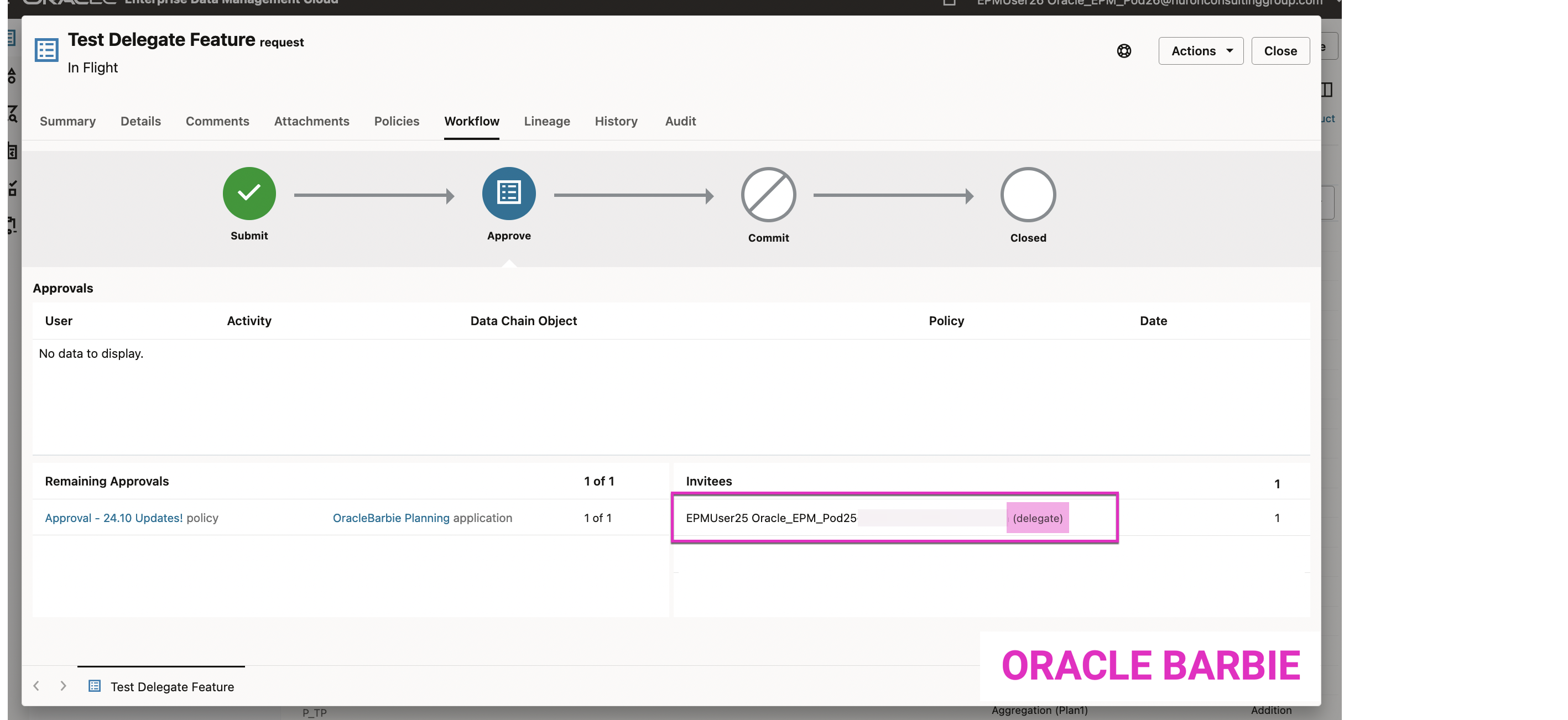
Oracle documentation on Delegating Requests here.
2. Invited Approvers and Committers Included as Contributors to Requests
Prior to this update, if you were invited as an approver or committer on a request but the approval/commit policy was satisfied before you took action, you would no longer see the request on the Requests card. EDM only showed the Request to users that contributed to the request.
In this update, if you were invited you now can see all the requests in which you were invited to participate, even if you didn’t. This provides additional visibility to the requests for change to the data; and can help provide context to those provisioned to approve changes, but maybe didn’t participate.
3. View Users of Invited Policy Groups in Request Inspector
The last update is another nice usability update you can take advantage immediately – when you are inspecting a request, you can now click an icon next to the Invitee Group and see which users are in that group. This is helpful if you are a Data Manager that needs to see who is still needed on a request approval or commit step.

 oraclebarbie.com