

Properties, or data attributes, within Enterprise Data Management (EDM) are a key driving feature on how users interact with data, and can drive how the data interacts with applications downstream, with the context of the master data, and even drive workflow or routing within EDM itself.
When we design EDM applications, a big factor on the design is on user experience interacting with properties. We make design decisions on:
- Order of the properties in the right-hand panel
- Property labels and descriptions/instructions for interacting with the property
- Property categories, to provide either system or functional context of which properties ‘go together’
- Derivations, defaulting, or inheriting logic
- Validations (either hard-stop or soft validations) to give users feedback on the properties
- Required vs. non-required properties
Today we’re going to focus on that last bullet and a new feature that Oracle rolled out in 25.03: Required Properties on Viewpoints, and how this is an improvement of the original Required Properties on a Node Type.
What is the Difference Between Required Properties on Viewpoints vs. Required Properties on Node Type?
Prior to this feature, the only way to require specific properties on a viewpoint would be to mark them as Required on the Node Type, or create a Node Type level validation to require a property value.
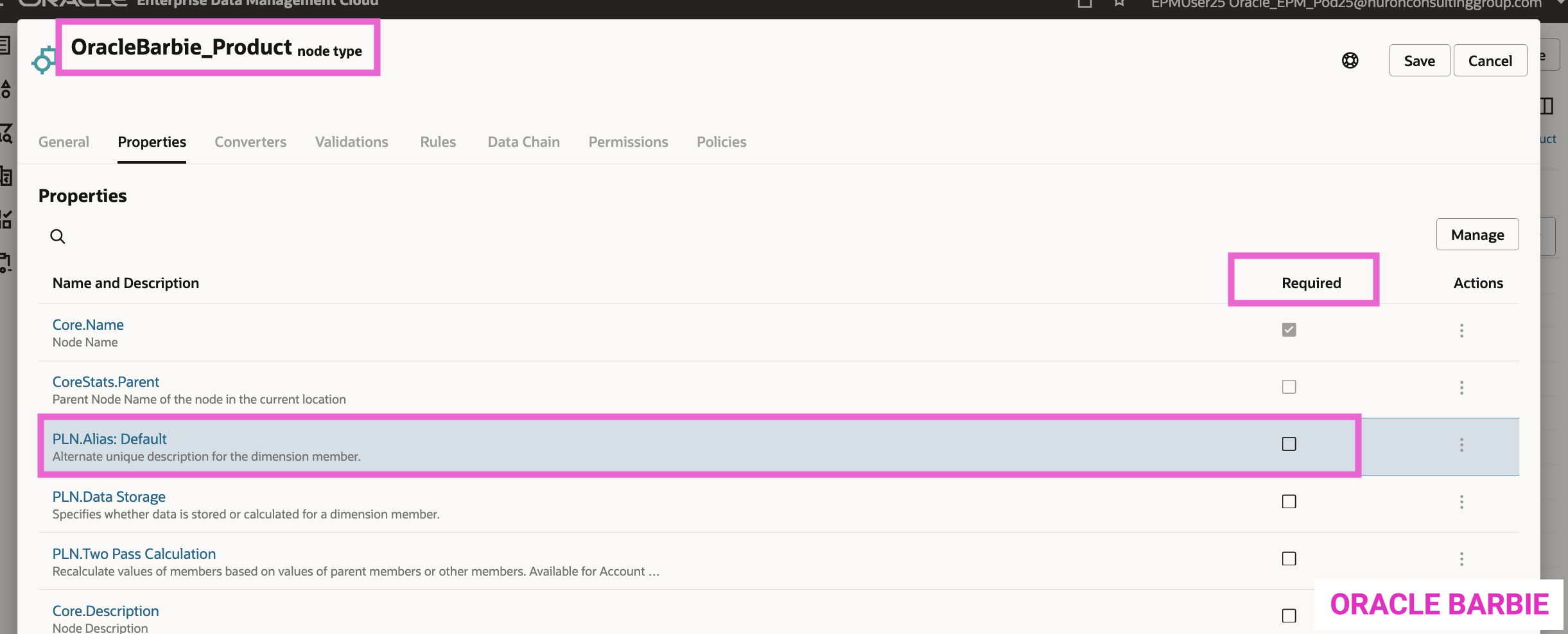
If you navigate to a Node Type, you can see there’s a simple check box system to require the property on the Node Type. (Screenshot in the next section – 2nd one)!
This means that for any Viewpoints that uses this Node Type, the property will be required. This is great for properties where all users will know what to fill in for this property – however, what happens if you have users that know basic information, but want a separate Viewpoint for more advanced or enrichment/admin users to add these more difficult properties?
This is where the new Required Properties on Viewpoints feature gives us the flexibility to make this happen! It allows us to remove the Required Property at the Node Type level and apply it to individual Viewpoints instead.
How to Configure Required Properties on Viewpoints
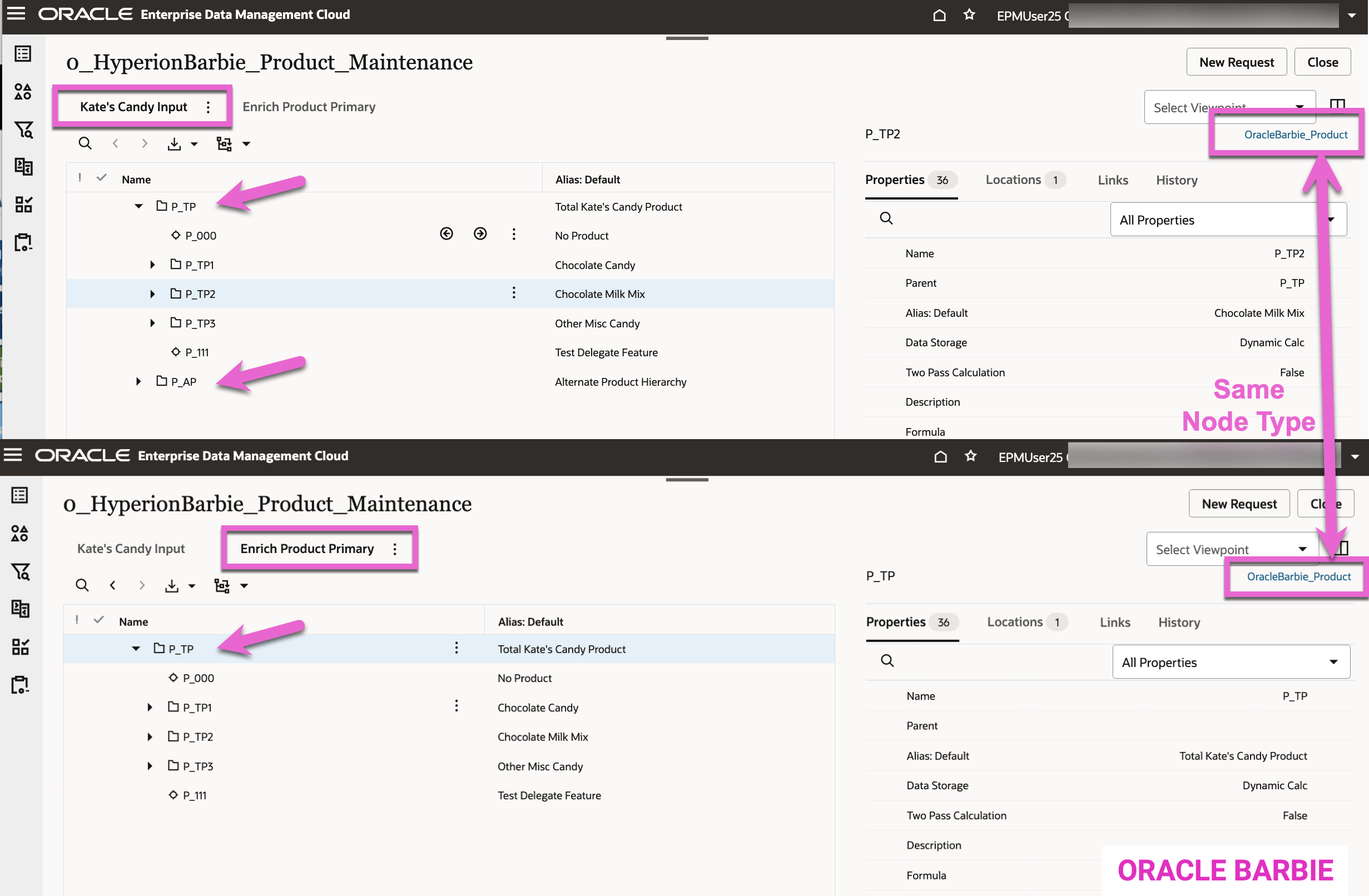
To test this feature, I created a Maintenance View (0_HyperionBarbie_Product_Maintenance) for my product dimension. There are two Viewpoints:
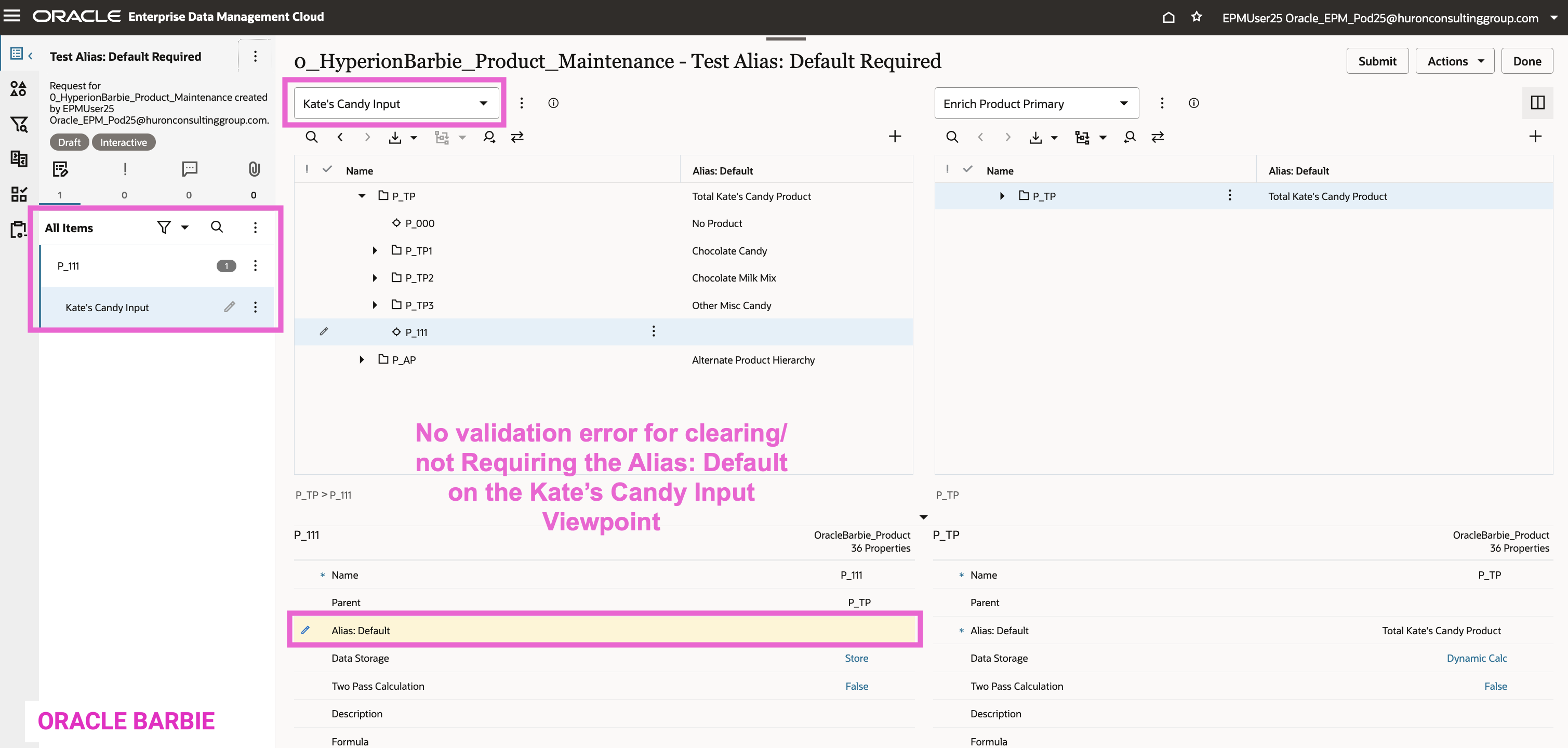
- Kate’s Candy Input (top in screenshot below) is a bound viewpoint that is the entire dimension for my product dimension. It has both the primary and alternate structure
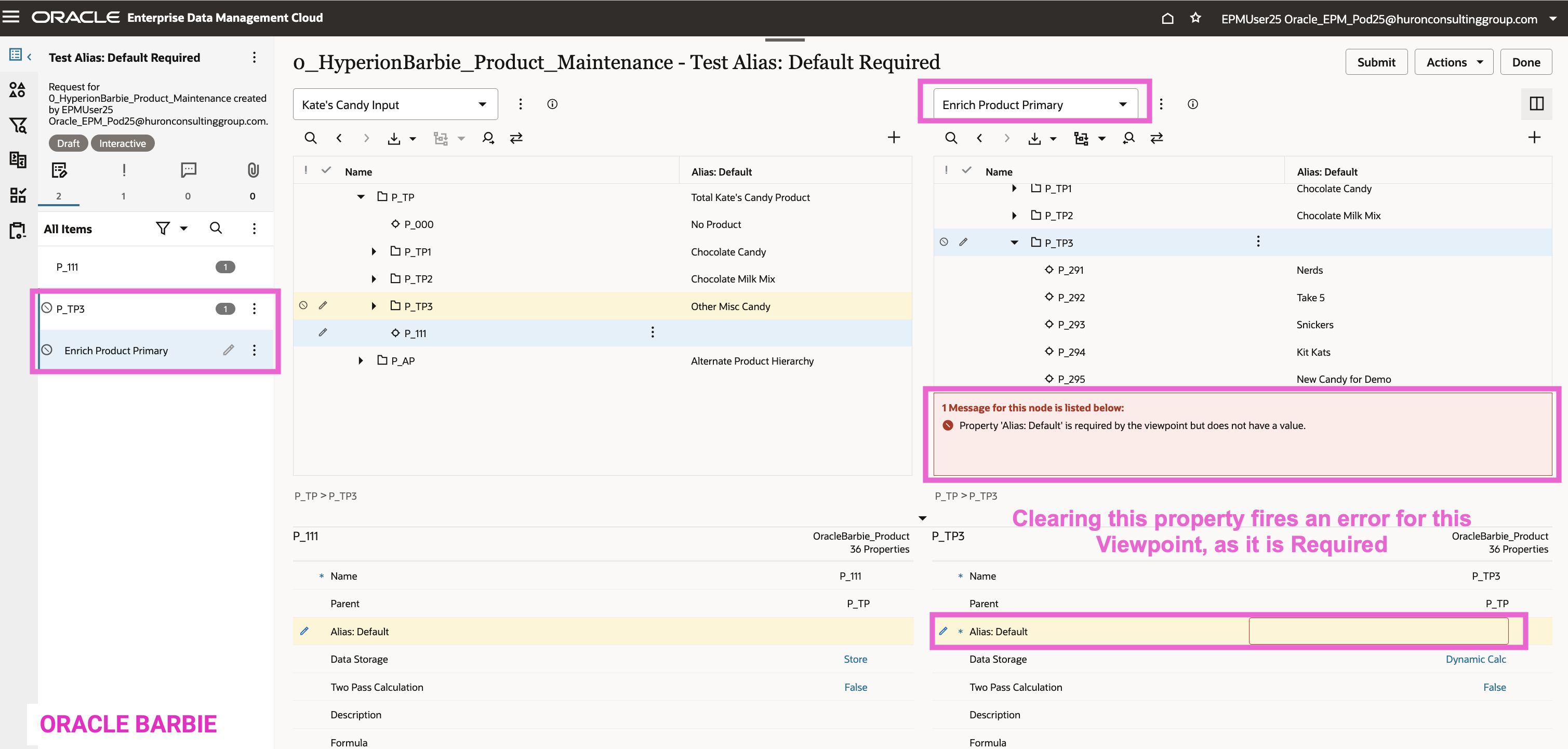
- Enrich Product Primary (bottom in screenshot below) is a hierarchy set bound viewpoint, where I created a net-new node set to filter only the primary hierarchy to this viewpoint.
In this example, I want the Kate’s Candy Input viewpoint to be more lenient for user entry, where I want Enrich Product Primary to have a hard validation on entering the Alias: Default property. You can see on the right of both screenshots, that the Node Type on both Viewpoints is OracleBarbie_Product. Meaning, if there are Required fields or validations on that Node Type, it will fire on both Viewpoints.
To start, I am going to disable the Required checkbox on the OracleBarbie_Product Node Type. Again, this will disable on the Node Type level, which applies to both of my Viewpoints.
Now to turn on the Required Default: Alias on the Viewpoint…
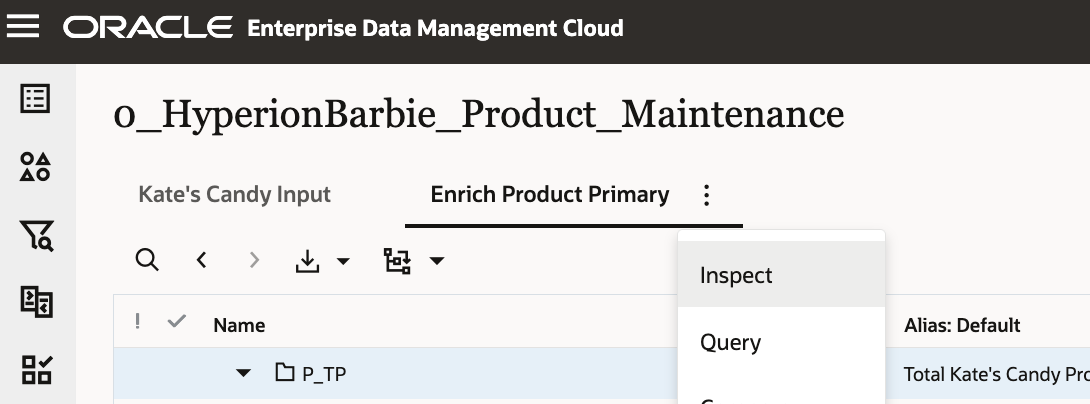
Navigate to the Viewpoint settings via “Inspect” (here, I’m selecting the Enrich Product Primary where I want to enforce the Default: Alias is filled in:
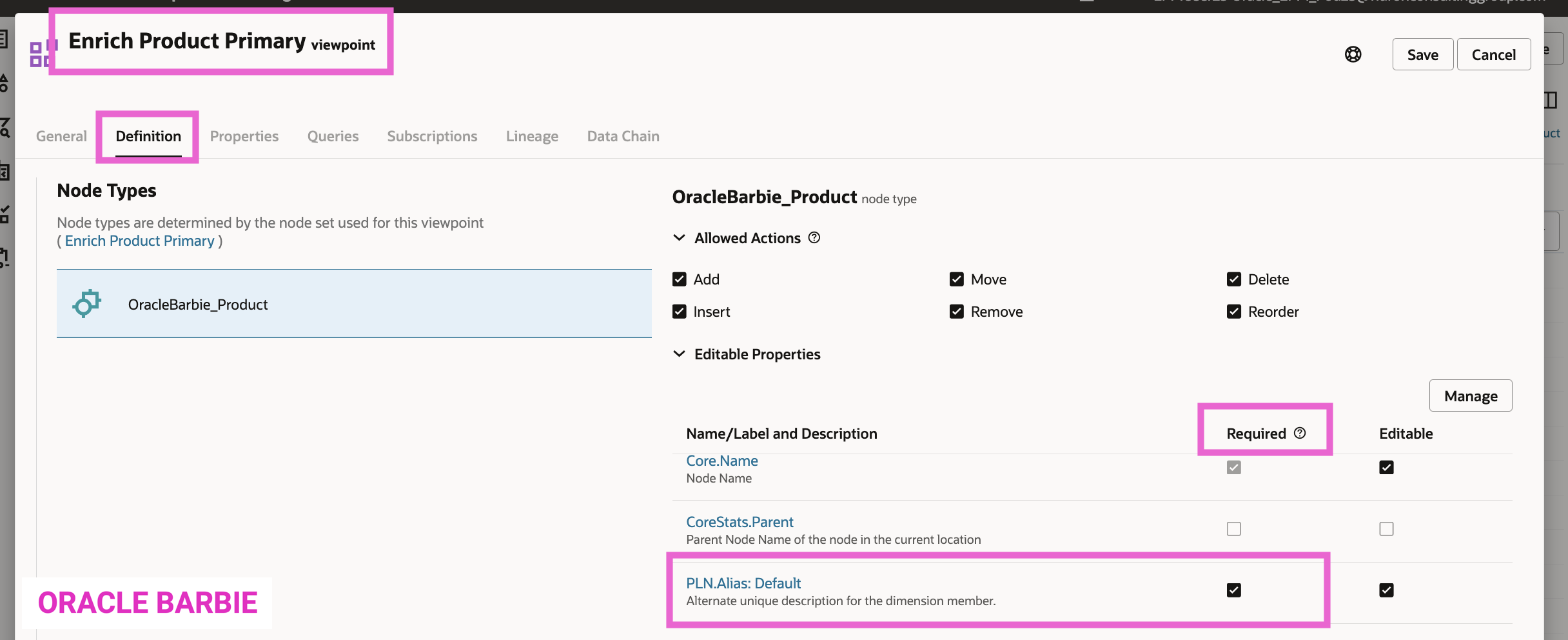
Select the “Definition” tab, and then Edit to make the PLN.Alias: Default property Required in the Name/Label and Description section of the page.
Now to test. First, I find a node and clear the Alias: Default on the Kate’s Candy Input Viewpoint. My expectation is that there will not be an error message on this Request, because I disabled Requiring this property on the Node Type:
Next, let’s do the same action on another node in the Enrich Product Primary viewpoint. This time, when I clear the Alias: Default, I get an error on this Viewpoint due to the configuration change on the Viewpoint settings to Require this property. Again, same Node Type, two different Viewpoints: one not Requiring this property, the other Requires it.
What other use cases can you think of for setting Required properties at the Viewpoint level vs. the Node Type level? Post them below in the comments!
 oraclebarbie.com