

Another great feature released in the 25.03 (March 2025) release of Oracle Enterprise Data Management is a super helpful one for our Service Administrators responsible for permissions, locking down views/viewpoints, and ensuring that users can only edit the data for which they are responsible.
Enter the “Act As User Role” – this easy-to-use feature allows Service Administrators to easily toggle between their configuration/development persona to see what it looks like if they were a User in the system. This is extremely helpful for more complex configurations where you are limiting Views, Viewpoints, and especially custom Property permissions (Edit/Display/Hide) for user groups.
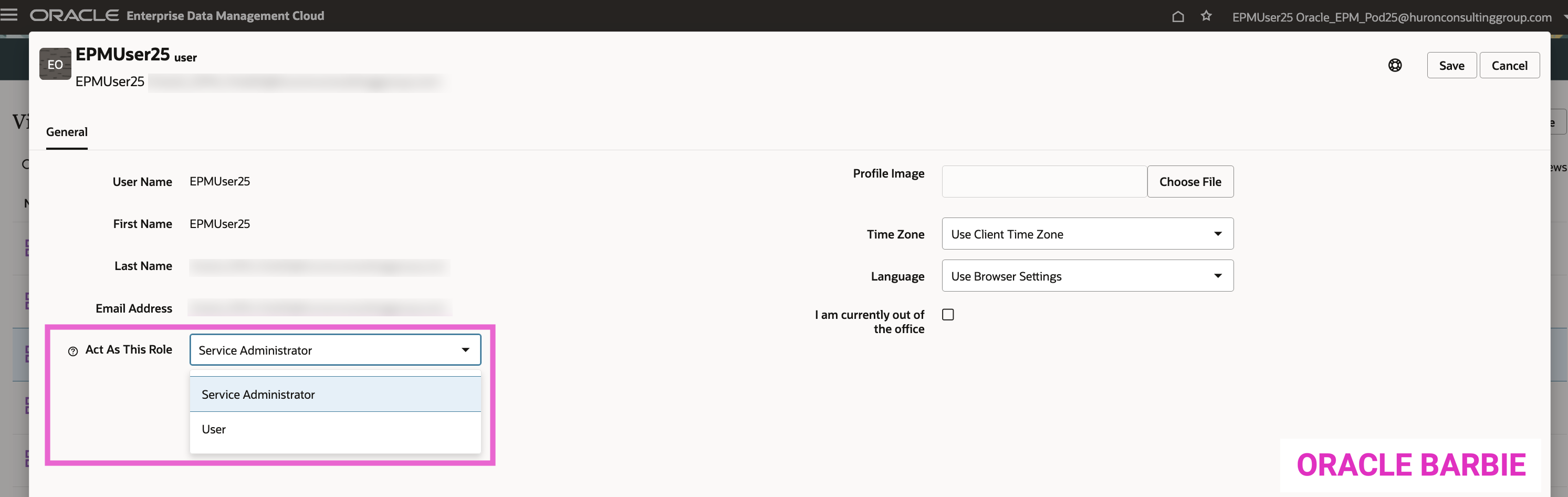
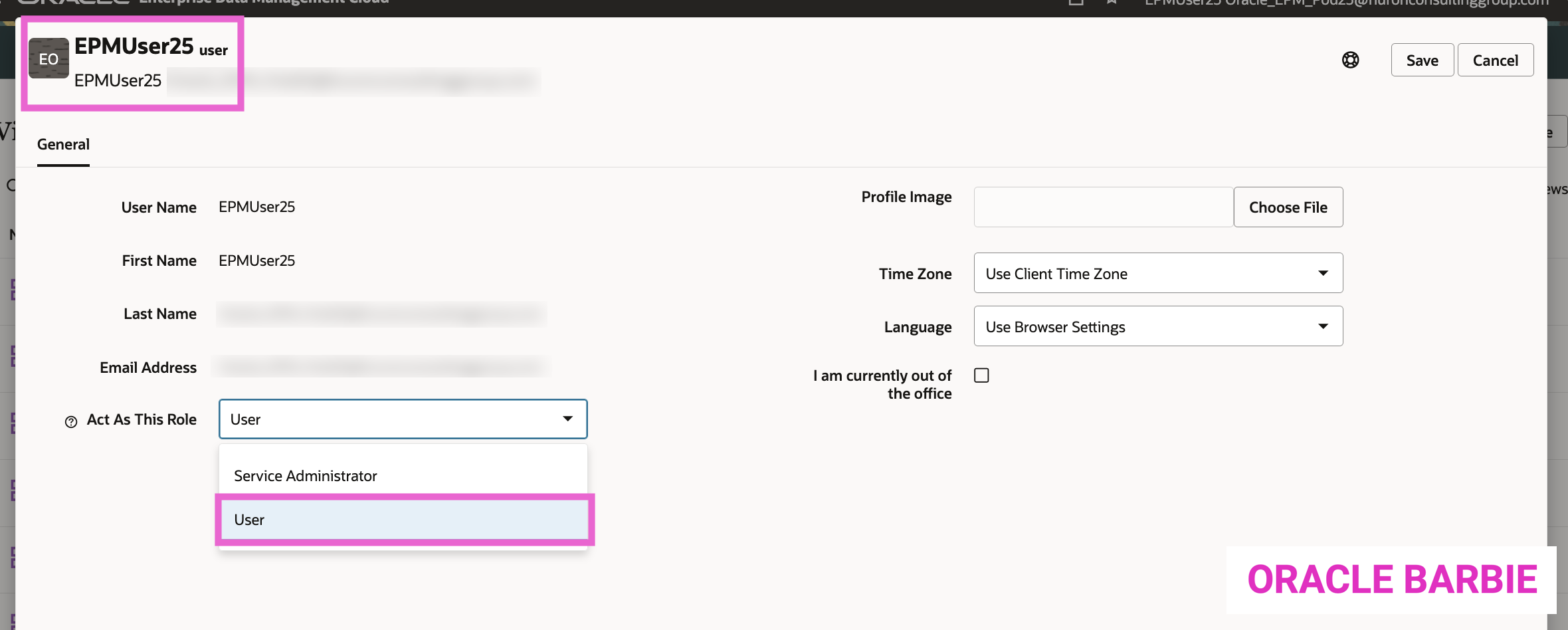
To enable this feature, Service Administrators can go to the top right hand corner and go to the “User Preferences” list option. On the bottom left, see the “Act As This Role” where you can toggle between a Service Administrator and User profile:
Now to test the feature…
Prior to changing to User mode, I went and added Write permissions to a few Viewpoints for my User25. If I were testing this in a real configuration, I’d be sure to use User Groups with my User within it; but this is just a test 🙂
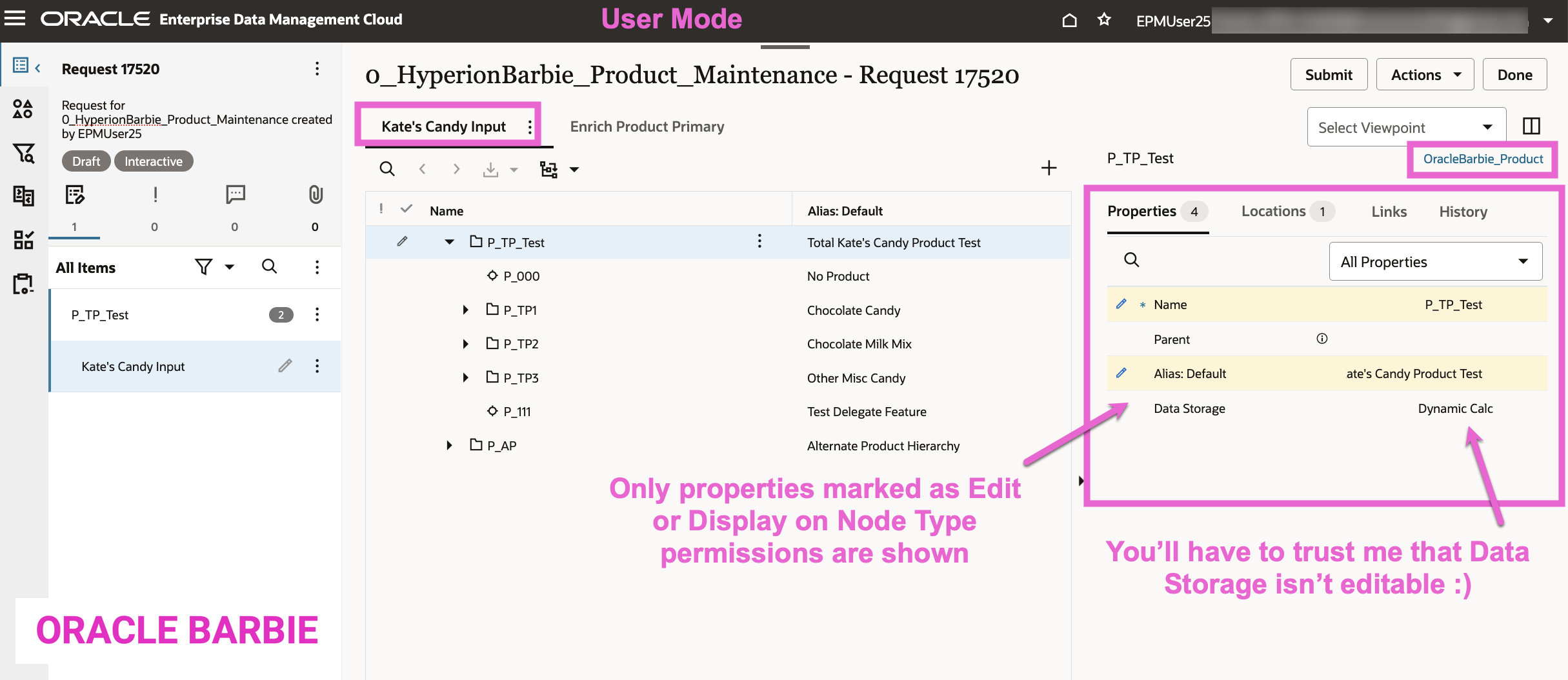
I also wanted to test the Node Type property permissions on a more granular level. So for one of the Viewpoints (Kate’s Candy Input) in my View (0_HyperionBarbie_Product_Maintenance) I selected the Node Type (OracleBarbie_Product) and made some configuration changes to test:
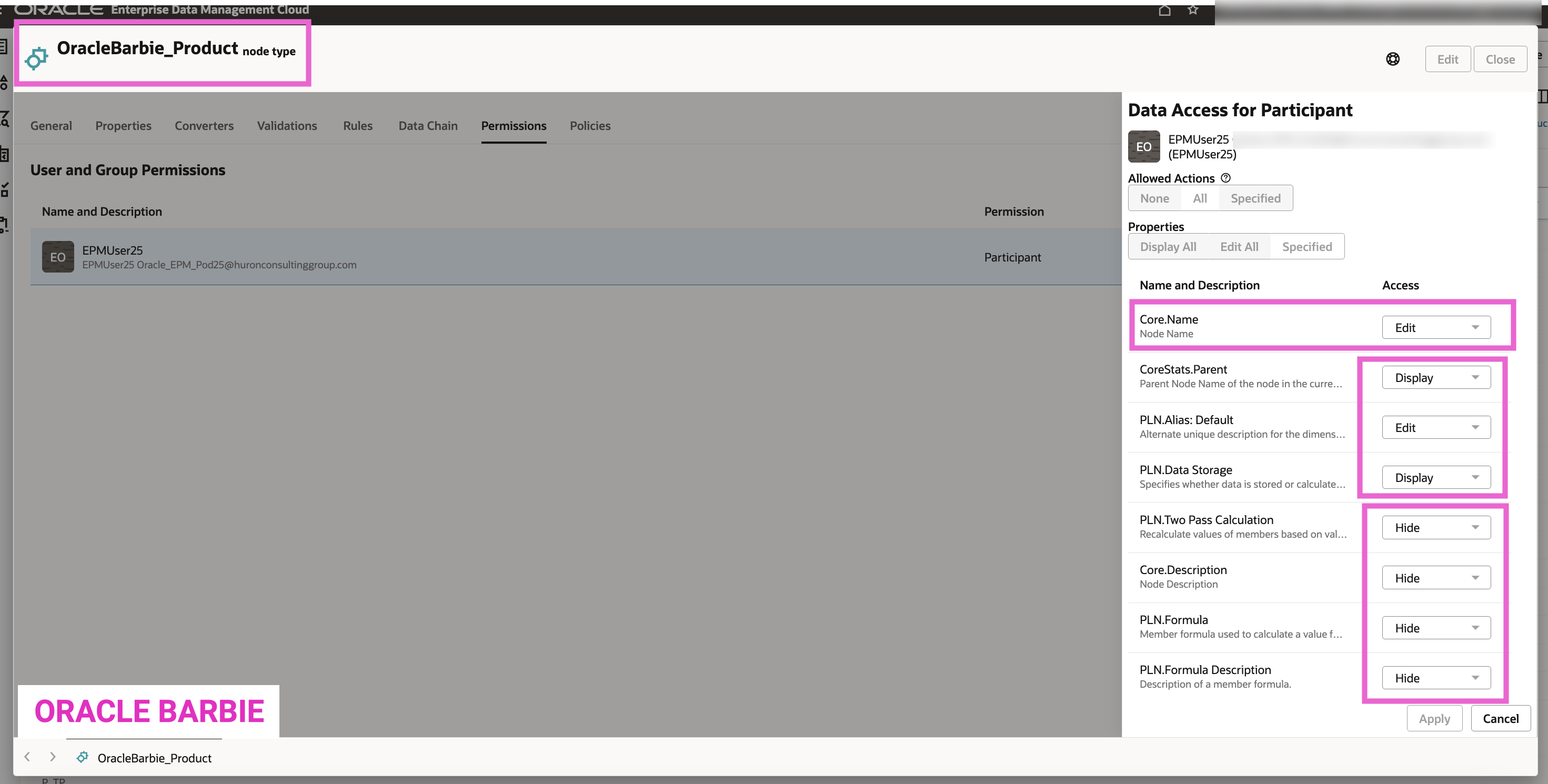
As you can see in the screenshot, for OracleBarbie_Product, I set the Core.Name and PLN.Alias: Default to be Edit access while Parent and PLN.DataStorage are Display. I chose to Hide the rest of the properties in the Node Type.
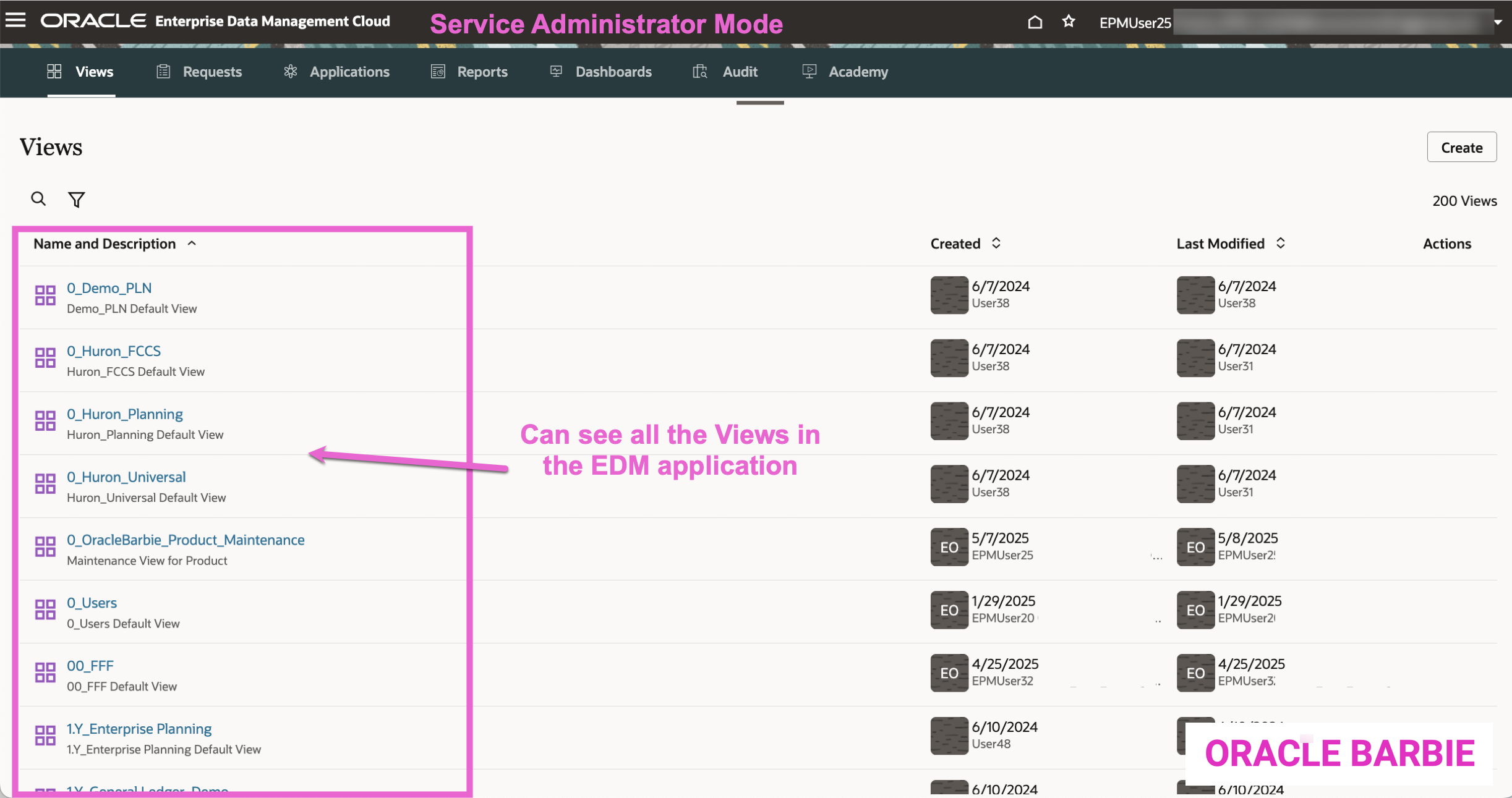
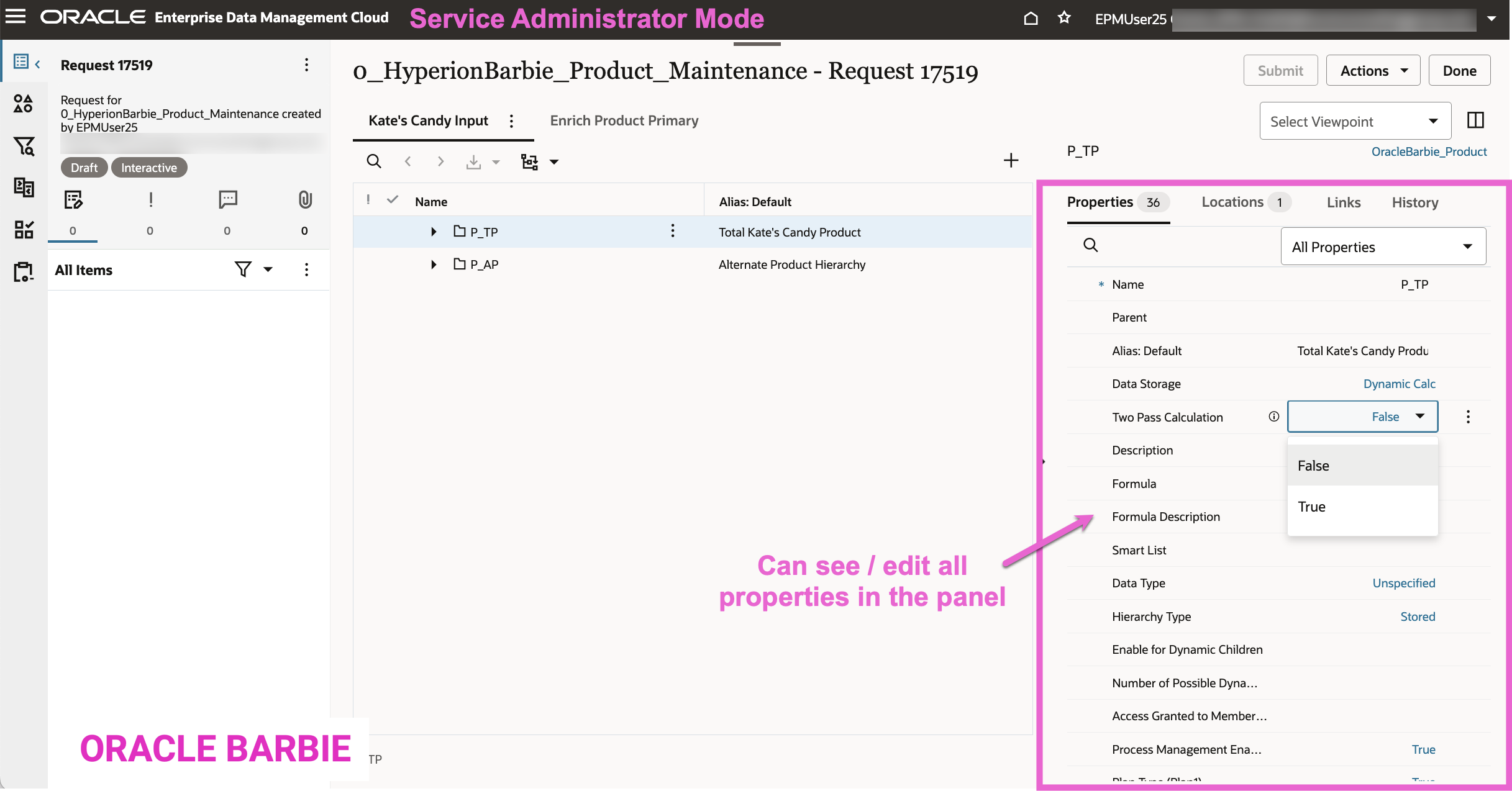
Here’s a reminder of what I see as an administrator: All of the properties on this Node Type are visible, editable, and I can see all of the Views in my EDM application:
Service Administrator Mode:
Time to toggle to User Mode:
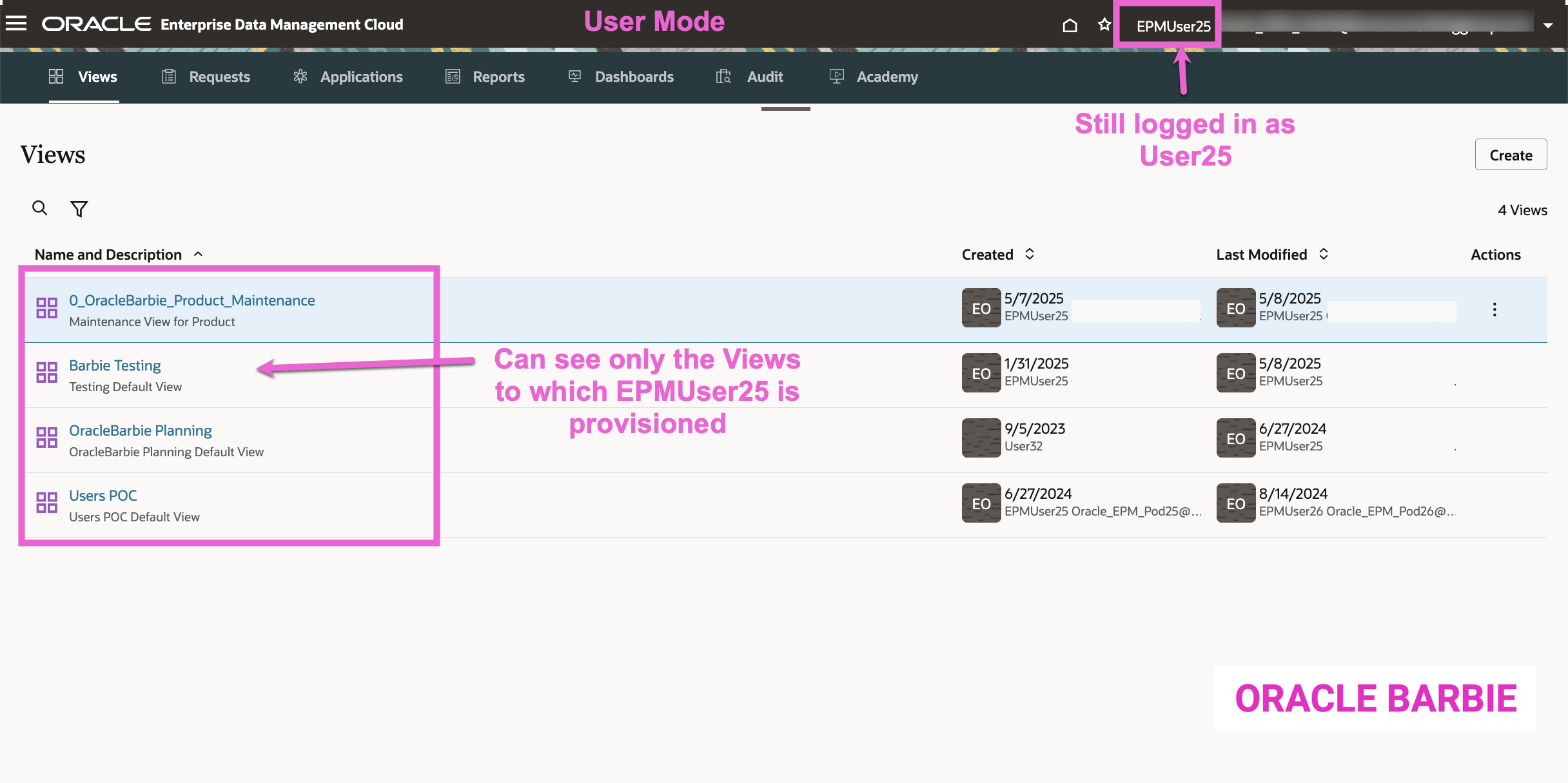
Now, when I navigate to the Views card, you can see that I have only permission to a handful of Views / Applications based on my Permissions:
And when I click into the O_OracleBarbie_Product_Maintenance View, I am able to see that the OracleBarbie_Product Node Type property permissions that I configured are displayed correctly for the User role:
This feature is easy to use, but also extremely useful when configuring permissions and ensuring that Users are seeing the intended Views, Data, and Properties when navigating in EDM.
Just to re-iterate: best practice would be to use Groups (when doing any permissions work in EDM) and adding your user to those test groups & using this feature. That will allow for easy deployment of the permissions by adding users to the groups.
 oraclebarbie.com